Seeding cells onto the Teton™ Slide Kits is a critical step in the success of a Teton or Teton Atlas™ CytoProfiling experiment. We are looking to achieve an even monolayer of cells with about 50-70% confluency for most cell types. Neurons benefit from achieving a lower confluency of 30-50% to improve segmentation.
Optimizing Confluency
Optimizing cell culture seeding can be started using a 384-well plate. Plate a range of seeding concentrations and incubate according to experimental needs. Visually inspect via bright field microscopy to confirm an even monolayer across the wells at the target confluency.
Proceed to seeding into the 48-well Teton Slide Kit and utilize one of our optimization kits to further assess the performance of the cells, surface coatings and treatments. Note the difference in surface area – a standard 384-well plate is 0.084cm2 per well while a 48-well Teton Slide Kit is 0.12cm2. For reference, we use 2,400 – 2,800 HeLa cells per well of a 48-well and incubate for 15-18 hours to achieve 50-70% confluence. For suspension cells, we seed at 16,000 – 24,000 Jurkat cells per well of a 48-well.
Custom Surface Coatings
When utilizing the Teton Slide Kits, ensure that you are using the best surface for your cell type. Element Biosciences offers two slide coating options: Poly-L-Lysine coated glass slides, or uncoated glass slides. For the uncoated slides, our Teton CytoProfiling User Guide provides protocols for coating with the following surfaces: Collagen, Fibronectin, Gelatin, Laminin, Matrigel or Poly-L-Lysine. Once coated, store the slides as indicated for up to 10 days.
Optimizing Cell Culture with Cell Paint Markers
If you plan on using a custom protein panel, you can optimize for both cell culture and screen candidate custom antibodies using the Teton Custom Antibody Screening Kit. If you are looking to optimize only the cell culture portion, that can be completed on instrument with the Teton Onboard Cell Paint Imaging Kit, or off-instrument with a fluorescent microscope and the Teton Cell Paint Probe Kit.
Cell Culture Best Practices for Adherent Cells
When seeding cells onto a 48-well, use either a 16-channel Finnpipette or a standard p200 multichannel pipette. If using a p200, dispensations will need to be staggered essentially performing the motions twice per column. Due to the shape of the wells, a centrifugation step after dispensing cells is required to ensure all liquid touches the glass surface and there are no bubbles. Omitting the centrifugation step can lead to inefficient cell adherence. To centrifuge the 48-well slide kits, please use the Teton Slide Kit Tray (2 pack) (860-00044).
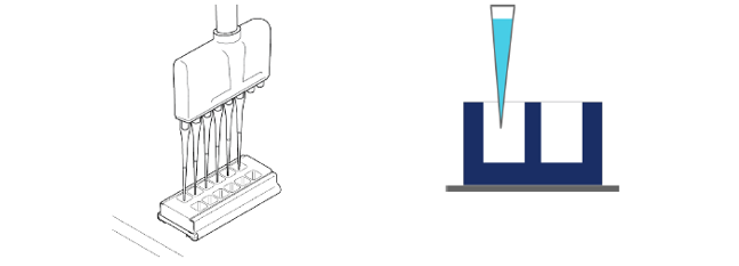
Seeding Cells
When dispensing cells, ensure that the slide kit is on a flat surface, and the multichannel pipette is perpendicular to the glass slide surface. Dispense into the center of the well in a smooth motion avoiding dropwise distribution. Avoid contact with the slide surface.
Distributing Cells
To improve even distribution of cells across the wells, cover the slide kit and rock in a North/South motion about 3 times. Pause and then rock in an East/West motion as indicated in the video below. Move at a slow pace and ensure you are moving at least 5 inches in each direction.
Centrifuge Cells
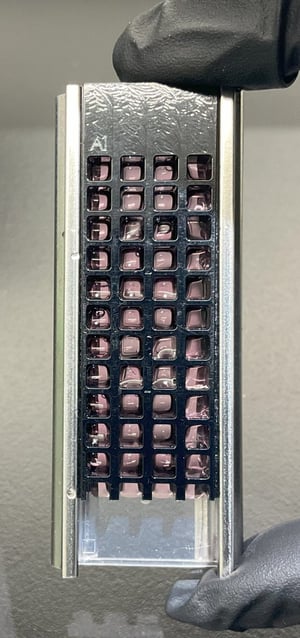
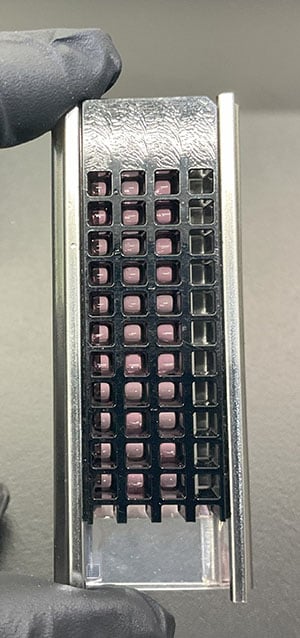
To ensure all liquid contacts the slide surface, place the Teton Slide Kit in the Teton Slide Kit Tray, 2-pack (860-00044) and place in the centrifuge using a second Teton Slide Kit Tray as a balance. Centrifuge at 130g for 2.5 minutes and incubate. Visually inspect the wells and ensure that all the liquid has made contact with the slide surface and there are no bubbles.
| Example of poor seeding with bubbles in many wells | Example of correct cell seeding after centrifugation |
 |
 |
Removing Liquid
After the cells have adhered, when you remove any liquid from the slide, tilt the slide kit gently so that liquid pools to one corner. Position the pipette tip in the corner of the well, avoiding contact with the slide surface. Ensure some liquid remains in the wells to avoid cells overly drying. Contacting the slide surface at this point could result in loss of cells. We recommend targeting the same corner each time you remove liquid to minimize cell loss.
Adding Liquid
At any point that you need to add liquid, slowly dispense along the well wall. Visually confirm that all pipette tips make contact with the well wall during dispensation. Cells that are lightly adhered can be dislodged if sufficient force is applied, and aiming for the well wall allows a smoother release of liquid.
Review Images
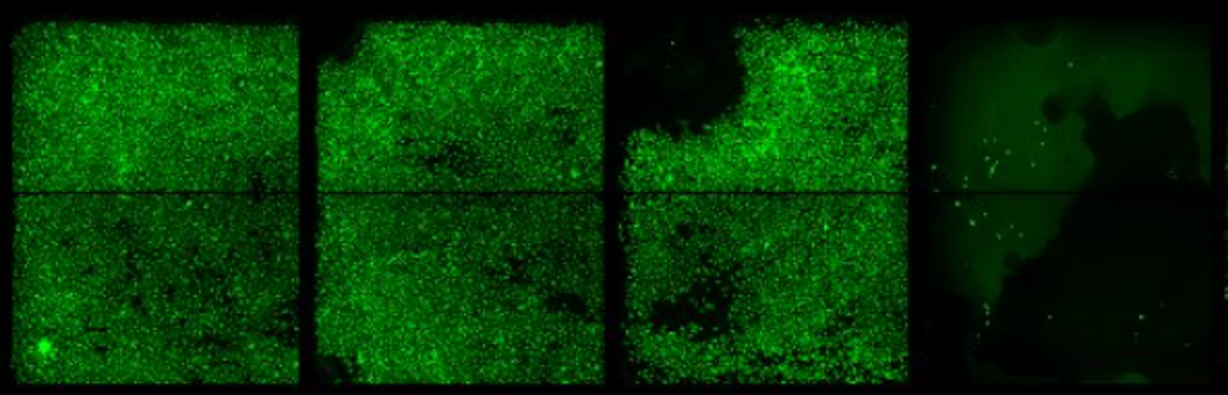
When inspecting images, you want to see an even monolayer across the wells.

Common phenotypes to avoid:
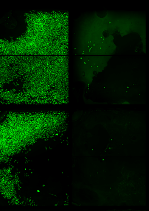 |
Cell loss due to bubbles. Ensure all liquid makes contact with the slide when seeding cells. |
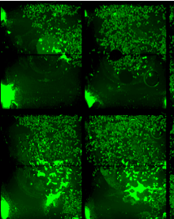 |
Pipette slowly to reduce liquid impact leading to cell detachment |
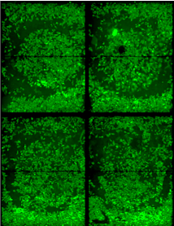 |
Ensure even distribution of cells by rocking side-to-side and front-to-back |
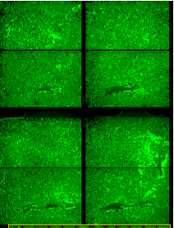 |
Avoid pipette tip contact with the surface for all protocol steps, including custom coatings. |
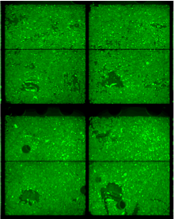 |
Avoid pipette tip contact with slide surface after cells have been seeded. |